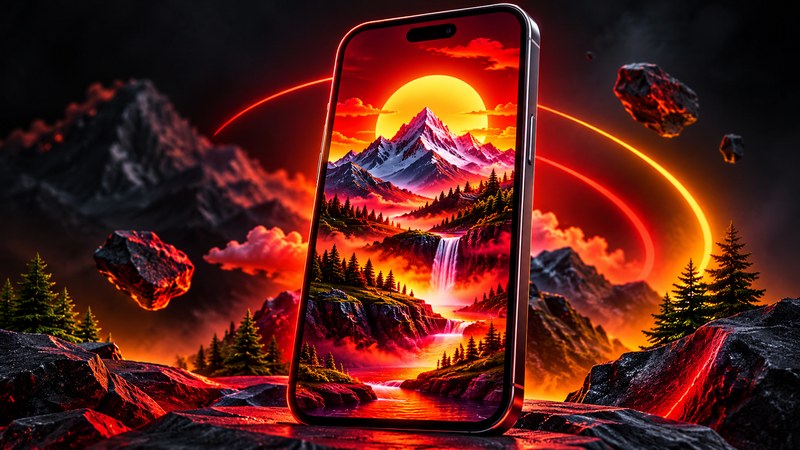
A good 3D wallpaper for mobile does something a flat photo never can: it makes your home screen feel deep. Tilt the phone and the foreground slides past the background, and the whole screen feels alive. In 2026 the effect is everywhere, but most apps promising it are full of ads or barely work. Here are the five free apps that do it properly, and how to set one up in under two minutes.
What Is a 3D Wallpaper, Really?
Three different things hide behind the same name. Parallax wallpapers use two or more image layers, and your phone's gyroscope moves them at different speeds as you tilt the device — a gentle sense of depth. Depth-effect wallpapers are a single photo where the subject sits in front of the clock or widgets; Apple built this into the iPhone lock screen, and several Android apps copy it. Live 3D wallpapers are fully animated scenes — a rotating planet, falling snow, a glowing neon city — They look the most impressive and use the most battery. When a listing says "4D", it usually means parallax plus animation. Judge apps by what they show you, not the number in the name.
5 Best 3D Wallpaper Apps for Mobile in 2026
Every app below is free on Google Play, was updated in 2025 or 2026, and has a large install base — the simplest filter for avoiding the copycat apps that flood this category.
- Parallax 3D Live Wallpapers — best overall. Made by TarrySoft, with over 9.5 million installs and a 4.64-star rating from more than 68,000 reviews. It has the widest range of true parallax scenes — space, nature, abstract — plus a maker that turns your own photos into layered 3D backgrounds.
- Zedge — biggest library. Over 500 million downloads and a 4.7-star rating from 17.7 million reviews make Zedge the safest first download. Its live wallpapers sit alongside static 4K wallpapers, an AI generator, and ringtones. If you want one app that covers everything, start here.
- Walloop — best for AMOLED screens. More than 10 million downloads and a 4.4-star rating from over 700,000 reviews. Its strength is 4K and 3D/4D animated wallpapers optimised for AMOLED displays, including true-black designs that save power on OLED screens. You can set different wallpapers for home and lock screens, or use your own video as a live wallpaper.
- Depth Wallpapers - Live Clock — best depth effect. A smaller, newer app with around 80,000 installs that does one thing well: layered 3D depth wallpapers with a live clock built into the design. If the iPhone-style look — subject in front of the clock — is what you want on Android, this is the most direct route, and everything is free.
- Planet Earth — best single-scene wallpaper. A rotating 3D Earth with a day and night cycle, from developer Delka&Toni. Around 84,000 installs: one beautiful scene done properly, with a gyro-controlled parallax effect as you tilt the phone. Ideal if you want something calm and realistic rather than flashy.
How to Set a 3D Wallpaper on Android
The steps are nearly the same in every app.
- Install one of the apps above from Google Play. Avoid random APK sites — the Play Store listing shows the real install count and recent reviews.
- Browse the 3D or parallax category and preview a wallpaper. Tilt your phone during the preview: a real parallax wallpaper shifts visibly. If nothing moves, it is a static image with a fancy name.
- Tap Set or Apply, then choose home screen, lock screen, or both — Walloop lets you set a different wallpaper on each.
- Adjust the parallax strength if the app offers a slider. A gentle setting looks classy; maximum strength can feel seasick after an hour.
- Go back to your home screen and tilt the phone slowly. The layers should glide, not jump. If the motion stutters, pick a lighter wallpaper.
How to Get the 3D Depth Effect on iPhone
iPhones do not need a third-party app for the popular 3D look. On any iPhone running iOS 16 or later, long-press the lock screen, tap the plus button, and choose a photo with a clear subject — a person, a pet, a building. If the photo has depth information, iOS offers a Depth Effect toggle that slides the subject in front of the clock. Portraits work best. For animated 3D wallpapers on iPhone, Zedge is the simplest option, with the same library as Android on the App Store.
3D Wallpaper Styles That Look Best in 2026
Space scenes are the classic choice — stars behind, a planet in the middle, and the parallax sells the distance. Nature scenes work well too, especially mountains and forests with clear layers. Neon and abstract designs look striking on AMOLED screens, where bright colours glow against true black. Busy photos with no clear layers are the worst choice: a crowded street scene gives the parallax nothing to separate. Two or three clear layers, with empty space between them, always beat a detailed single image.
Battery and Performance: What to Know
Live and animated 3D wallpapers use more battery than a static image, because the screen redraws the scene constantly. On most modern phones the difference is only a few percent over a full day. Keep it smaller with dark backgrounds on AMOLED screens, since black pixels on OLED panels are effectively switched off, and turn the parallax strength down if you notice lag. If your battery is low, switch to a static depth-effect wallpaper — you keep the 3D look and lose the constant redrawing. One warning sign matters most: if a wallpaper app asks for permissions it does not need — contacts, messages, call logs — uninstall it. Check the reviews before installing anything with fewer than 10,000 downloads.
Common Mistakes to Avoid
- Downloading from APK sites. Unofficial APK files are the easiest way to get an app stuffed with ads or worse. Use Google Play, where the install count and reviews are visible before you install.
- Judging by screenshots alone. Screenshots are easy to fake. Always run the live preview and tilt the phone before deciding an app is good.
- Picking a busy photo for parallax. A cluttered image kills the depth effect. Choose images with clear foreground and background layers.
- Maxing out the parallax strength. It looks fun for thirty seconds and distracting for the rest of the day. Keep it subtle.
- Ignoring the battery cost. Animated live wallpapers are beautiful, but on a phone with a small or ageing battery, a static depth wallpaper is the smarter daily choice.
Final Words
A trending 3D wallpaper for mobile is a small change with a big payoff: your phone feels new without spending anything. Start with Zedge for the biggest library, Parallax 3D Live Wallpapers for the best parallax scenes, or Walloop for an AMOLED screen. Preview first, keep the effect subtle, and download only from Google Play. For more ideas, see our guide to Best Green Screen Backgrounds and How to Use Them, and to clean up the photos you use as wallpapers, Best Background Remover Apps for Android covers the free tools that do it in seconds.